
Hybrid Event Production & Live Streaming
A presentation can work well in the room while remote attendees struggle to hear questions or follow a demonstration. Hybrid event production plans both experiences together, connecting the stage programme with cameras, audio, remote contributors and the viewing platform.
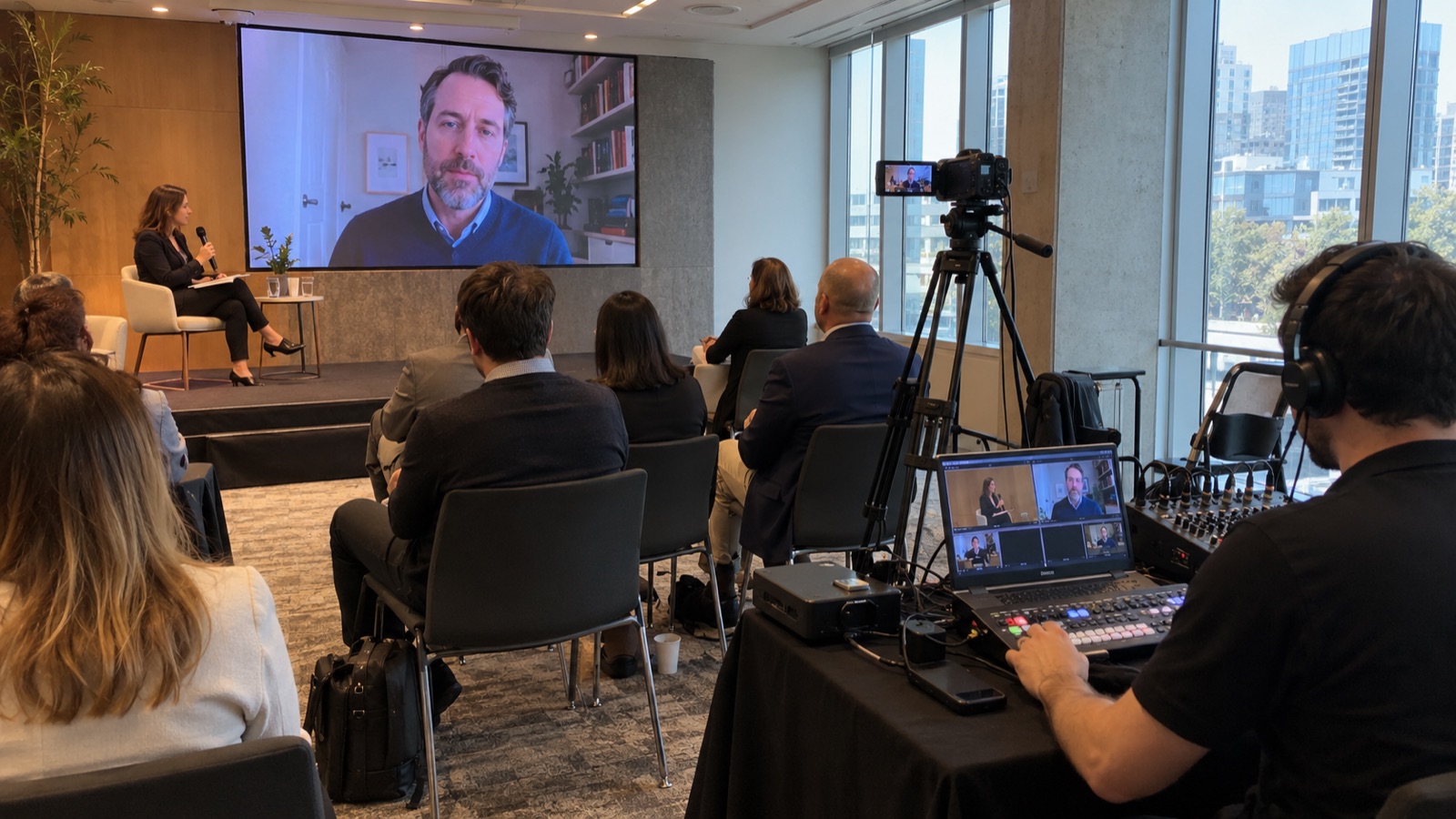
Hybrid event production for two connected audiences
Begin with what online participants need to do. Watching a keynote, asking questions and joining a workshop require different arrangements. A camera pointed at the stage may cover a speech, but a detailed product demonstration could need another angle. A remote speaker also needs to hear the host and understand when they are live.
The event schedule should identify which sessions are shared, how online questions reach the room and what happens during local breaks. A separate technical brief records the platform, permissions, connection requirements and intended recordings. The venue and appointed technical providers confirm the services needed for that brief, including any agreed backup arrangements.
Flex Event can coordinate the event design, stage production and specialist streaming requirements as one project scope. We plan the room and broadcast tasks with the relevant crew, using your audience profile and approved content. The proposal identifies platform licences, network provision, recording delivery and each provider's responsibilities.
Six parts of a useful hybrid production brief
Audience access and session format
Decide whether the stream is public, invitation-only or limited to registered participants. Identify sessions that need interaction and those intended for viewing only. We connect those choices with the event schedule and the requirements passed to the platform and technical providers.
Room sound and broadcast audio
A microphone arrangement that serves the room may need separate handling for the stream. We coordinate requirements for presenters, audience questions, video playback and remote speakers. The technical rehearsal checks that participants can hear the parts of the programme relevant to them.
Camera coverage and presentation content
Define what viewers need to see during speeches, demonstrations and discussions. We plan camera positions and screen content around that sequence. Slides, videos and speaker information follow an approval schedule, with suitable versions prepared for the room and the online presentation.
Remote speakers and moderation
Each remote contributor needs a joining time, a technical check and a clear contact during the session. Agree how questions will be collected and selected. A moderator can connect online participation with the stage programme without leaving the presenter to manage multiple channels.
Connectivity, rehearsal and alternatives
The venue and technical providers confirm connection requirements and any available backup options. We schedule a rehearsal that includes remote participants and the intended playback content. The team agrees what to do if a contributor disconnects or a planned live segment cannot continue.
Recording and post-event assets
Specify which sessions will be recorded and what the final delivery includes. A full replay, individual talks and short extracts require different editing work. Your team confirms speaker permissions and release decisions, while the production scope identifies file formats, revisions and the delivery schedule.
Contact
Share your event programme, online participation needs and preferred platform to discuss a hybrid production and live streaming scope.